Personal Offers
Overview
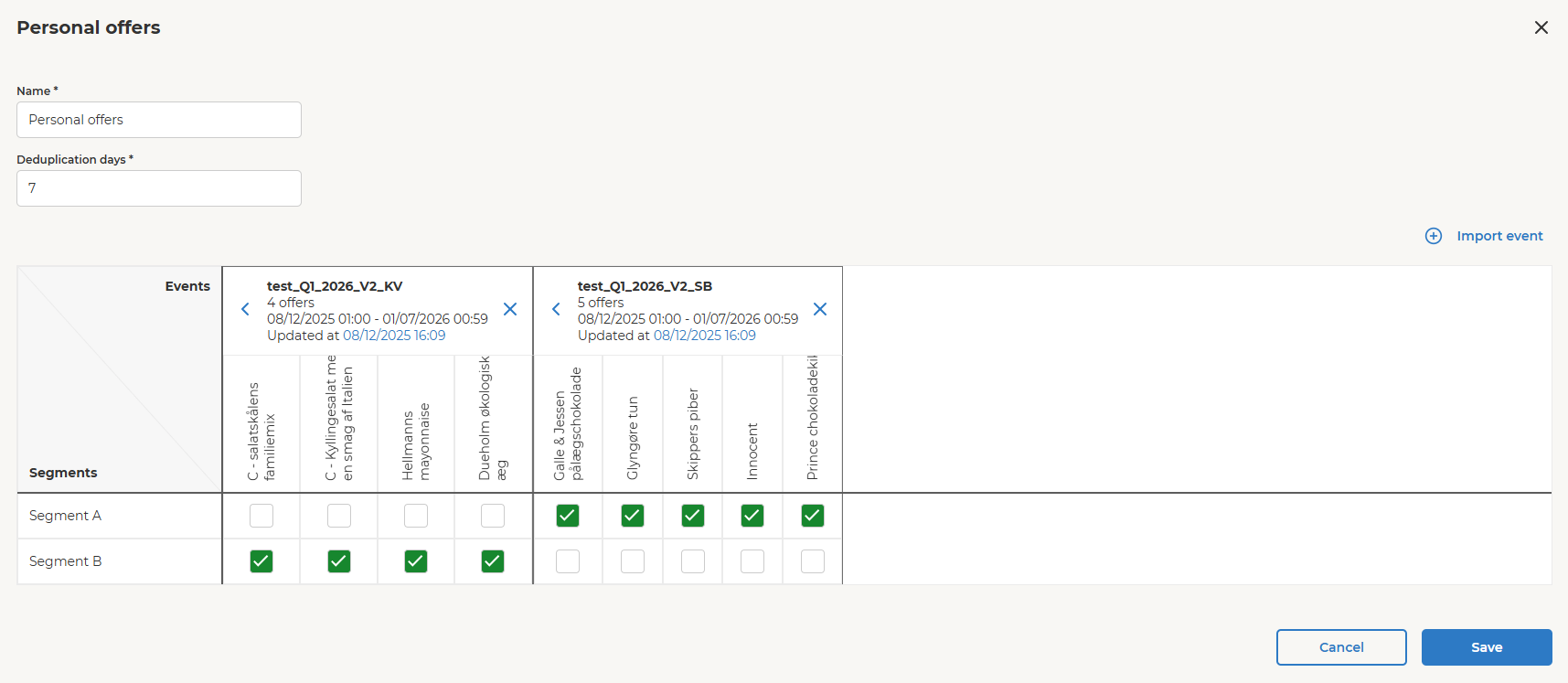
The Personal Offer block is used to assign personal offers to members provided by the connected member segments.
Opening the block, you can set up the following:
- Import events representing Offers to be used for Personal Offers
- Map the member segments to events (Offer pools)
The Personal Offer algorithm evaluates predefined business rules and member data to determine which offers should be assigned to each member.
Adding the Block to the Canvas
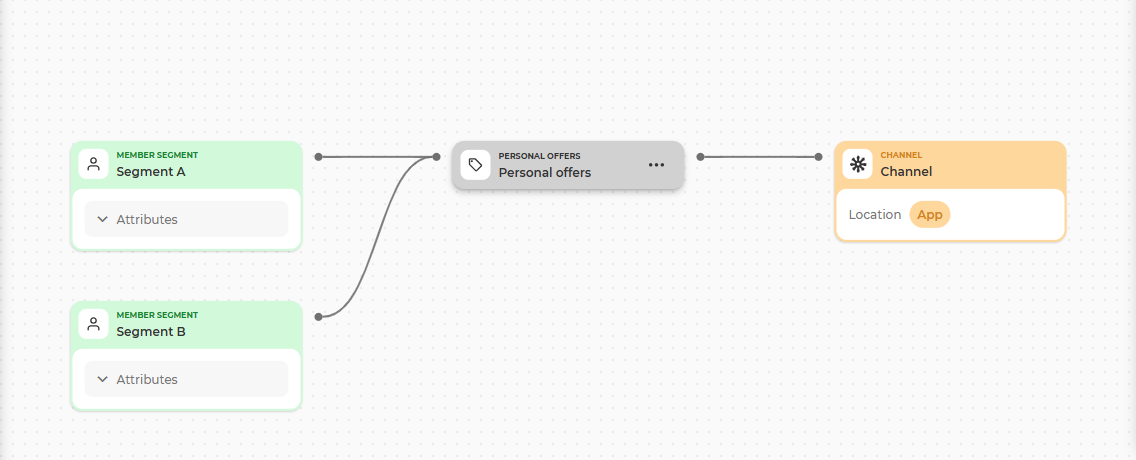
- Drag and drop the Personal Offers block onto the main canvas.
- Connect it to one or more Segment blocks.
- Double-click the Personal Offers block to open the configuration wizard.
You can create connections by linking the connector dots located on the sides of the blocks.
Importing Events
When the Personal Offer wizard is opened, you can import existing events by clicking the Import event button.
Once you click the button, the event selection wizard will open.
An event is a group of offers with its own identifier, name, and active date range. The offers within an event can be activated by members in the mobile app to receive specific products at a discount.
Events are organized into two tabs:
- Imported events
- Custom events
Imported events
The Imported events tab displays all events imported. Only events with the Personal Offer subtype are shown in this list.
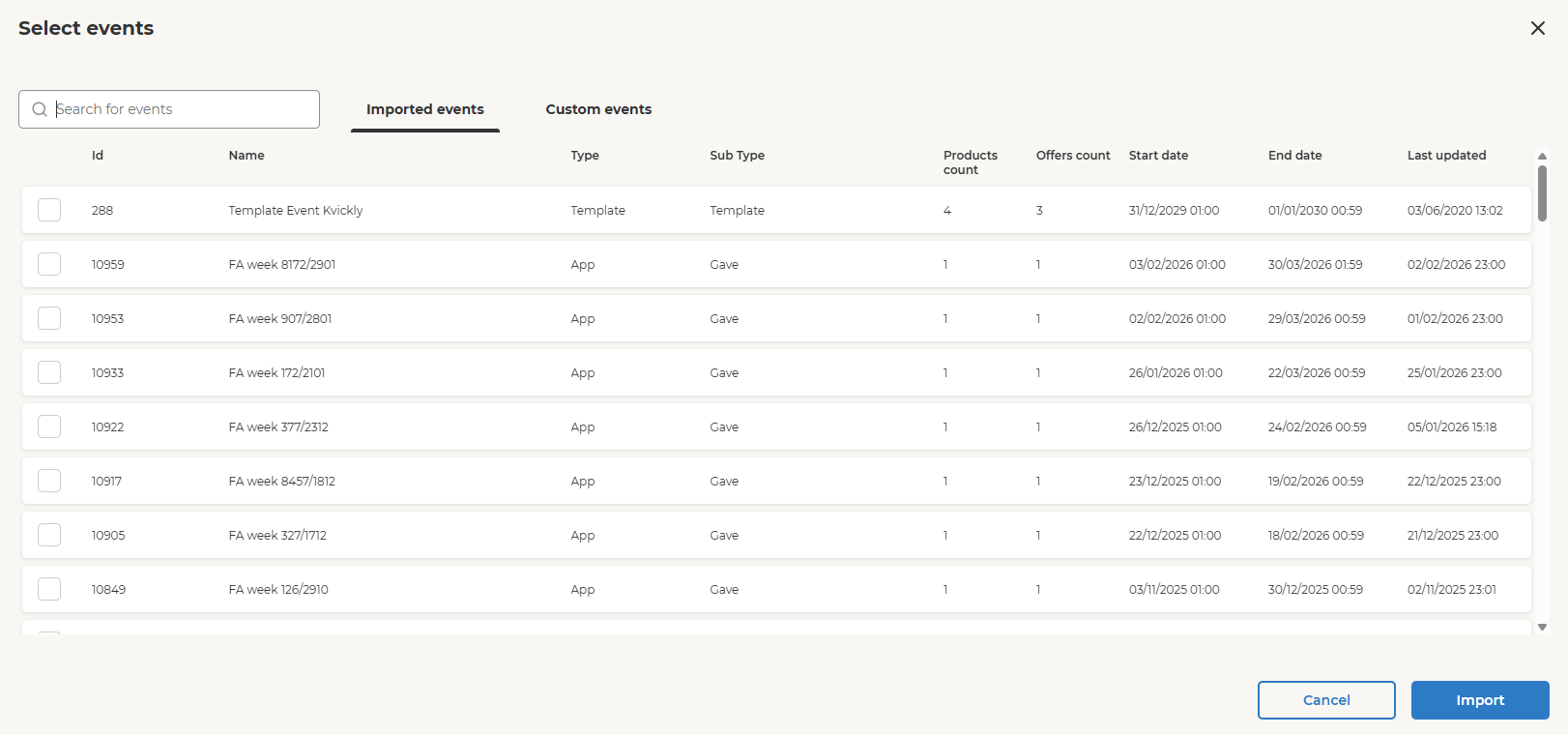
The table includes the following information:
| Column name | Description |
|---|---|
| Id | Unique identifier of the event. |
| Name | Name of the event. |
| Type | Type of the event. This defines the place where events will be shown for the member. App (which means mobile app) is the only type supported as of now. |
| SubType | This defines kind of offers that belong to the event. |
| Products count | This shows how many products assigned to that event. |
| Offers count | This shows how many offers the event has. |
| Start date | This defines the effective start date for the event. |
| End date | This defines the effective end date for the event. After this date all offers from the event are no more relevant and cannot be used. |
| Last updated | This shows the last date when the event configuration was updated (e.g. offers configuration changed). |
Custom events
The Custom events tab displays events created in Orchestration based on imported events, with additional filtering or modifications applied. For more details, see the Custom Events page.
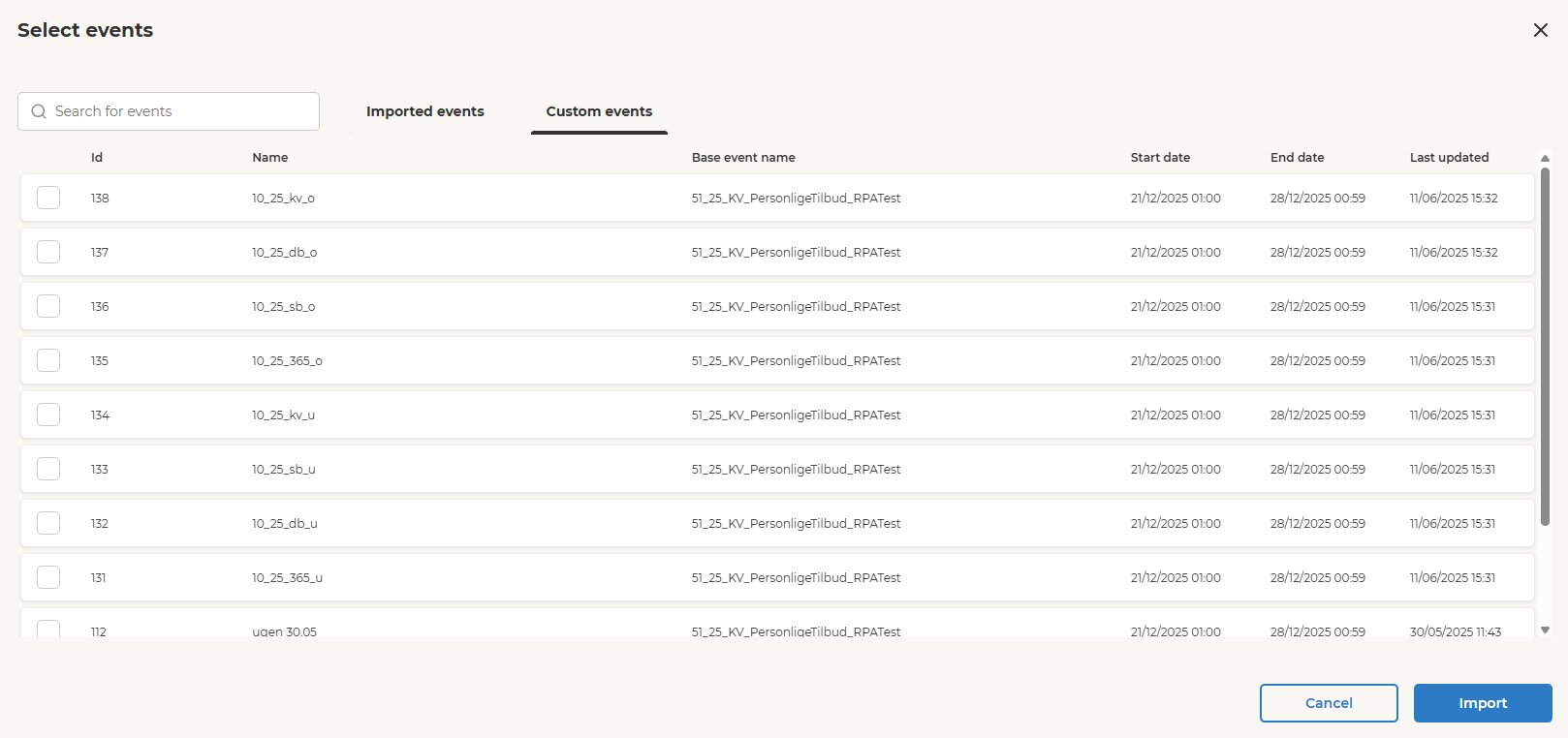
The table includes the following information:
| Column name | Description |
|---|---|
| Id | Unique identifier of the custom event |
| Name | Name of the custom event |
| Base event name | This defines the base event which is one of imported events that this custom event is built from |
| Start date | This defines the effective start date for the event |
| End date | This defines the effective end date for the event. After this date all offers from the event are no more relevant and can't be used (activated) |
| Last updated | This shows the last date when the event configuration was updated (e.g. offers configuration changed) |
Segment-to-Event Mapping
The segment-to-event mapping defines which offer pools (events) are available to which member segments. This determines what personal offers each segment's members can receive.
After selecting an event and clicking the Import button, the configurator will automatically connect all events from the selected event to all segments linked to the Personal offers block.
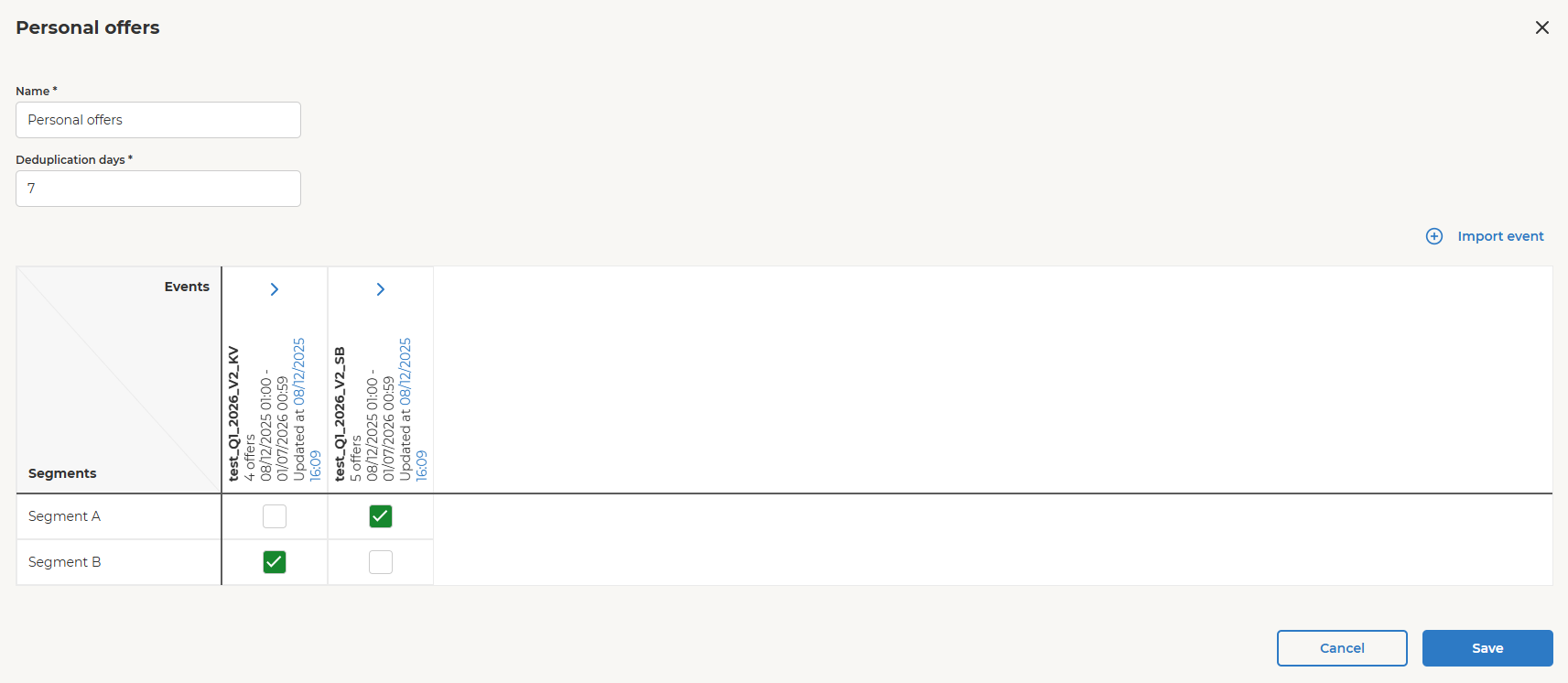
You can expand the imported event to view the full list of offers and deselect any offers that should not be assigned.