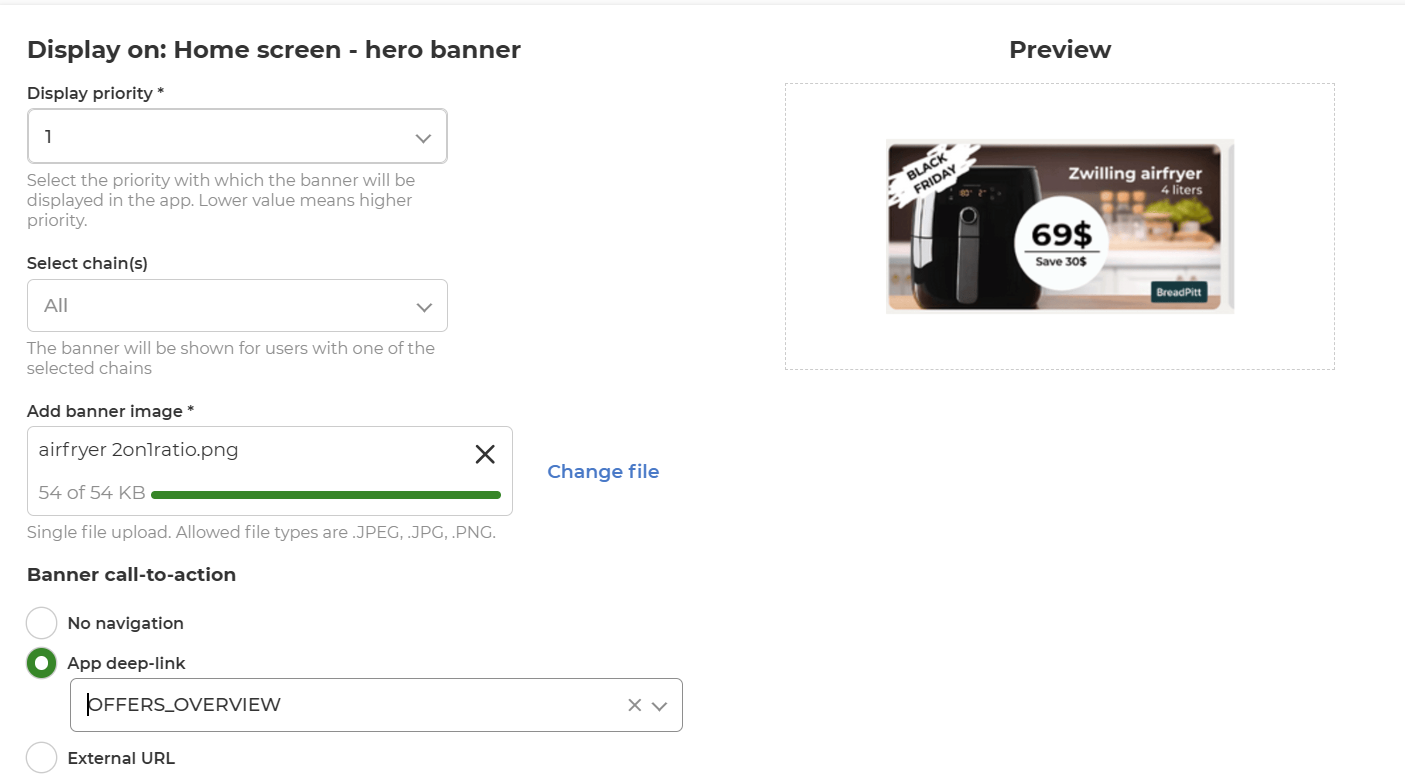
Set placement option to: Home screen - hero banner
-
Display priority - Select the priority of the banner
- Banners are ranked based on: 1) priority (1-7) and 2) publish date. It means that banners with the highest priority and most recent publish date are shown first in the row of banners.
- Display priority is a required field
-
Select chain(s) - Choose on which chains the banner should be visible
- This input field is only relevant if multiple chains are available. Otherwise, just leave this field on the pre-filled option All
-
Add banner image
- Banner image is a required field
- For Hero Banner the accepted image ratio is 2:1
- Allowed image types are .JPEG, .JPG, .PNG
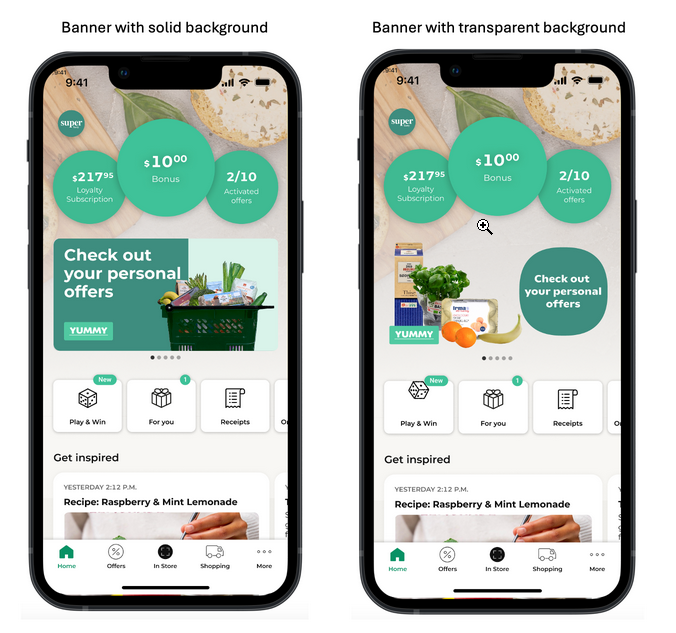
- Banner can be created with solid or transparent background (see examples beneath)
- Banners with transparent background should be uploaded as .png to ensure the transparent effect.
- Banners with solid background should have rounded corners of 8 px.
- Examples of hero banners with solid and transparent background:
-
Banner call-to-action - Choose where the user should be directed if tapping banner
- No navigation: nothing will happen when user taps the banner
- App-deep link: user will be directed to another page in the app (recommended)
- External URL: user will be directed out of the app to an external website