Campaign blocks overview
Campaign blocks are used on the orchestration canvas to define how a campaign works.
Each block represents a specific capability. This page lists all available blocks and explains their purpose. at a high level.
Trigger blocks
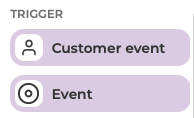
Trigger blocks define what starts or continues a campaign flow. They are used in event-based campaigns and sit at the beginning of a flow on the canvas.
- Customer event: starts a flow when a specific customer event occurs, such as a member signing up
- Event: continues a flow based on the outcome of an activity, such as a game being won or lost, a challenge being completed, or an offer being assigned
Segment blocks
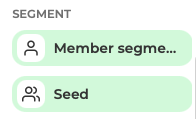
Segment blocks define which members are included in a campaign. They are commonly used as the starting point for targeted campaigns and are required to enable execution actions on the canvas.
-
Member segment block: Defines which members are included based on attribute rules. Commonly used as the starting point for targeted campaigns.
-
Seed block: Uses an existing list of member IDs as input, from a file or another campaign result.
Activity blocks
Activity blocks add promotional or communication activities to the campaign. They can be used independently or connected to targeting, scheduling, or triggers.
Communication activities
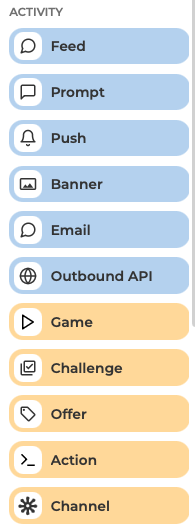
- Feed block: adds feed content for inspirational or informational messaging
- Prompt block: adds a prompt, typically used for short, timely messages
- Push block: adds a push notification to notify members about activities or updates
- Banner block: adds a banner communication to highlight promotions or messages
- Email block: adds an email communication activity
- Outbound API block: sends data to an external system such as a CRM or CDP when a customer reaches this step in the flow.
Promotion activities
- Game block: adds a game activity
- Challenge block: adds a challenge activity, often used to drive repeat behaviour or spend
- Offer block: adds an offer, either standalone or as part of a campaign flow
- Channel block: sends segmentation results to a specific channel, such as a CSV export or external system. Channel types can be configured in settings by an administrator
Operator blocks
Operator blocks control how audiences are handled and how activities relate to each other. They are optional and used in more advanced campaign logic.
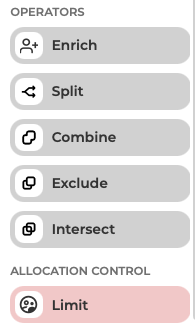
- Combine block: includes members matching any connected input (logical OR)
- Exclude block: removes members based on another group (logical NOT)
- Intersect block: includes only members present in all inputs (logical AND)
- Limit block: restricts how many members continue through the campaign flow
- Split block: divides members into multiple groups for routing or testing
- Enrich block: adds additional member data for personalisation or output
- Collateral assignment block: assigns tags or collateral to members
Block requirements for execution
Some execution actions on the canvas require specific blocks to be present. For full details on which blocks are needed to enable Count, Simulate, and Execute, see Orchestration canvas.
Next steps
To continue, see the following sections:
- Orchestration canvas to learn how to place and connect blocks
- Campaign execution and scheduling to understand how campaigns are run
- Create and edit campaign to get started with building a campaign