Edit and disable challenge
Edit challenge
Clicking on a challenge will open the edit mode. Expired campaigns cannot be edited, only viewed.
All properties can be changed at any time. While some configurations might make sense to chance on an Active campaign (like images, validity date, etc.) some would not make sense since they will impact to overall behavior of the campaign. For example, does not make sense to change the accumulation or earn type of an Active campaign, as the users have been informed about a certain mechanism and started collecting towards that goal.
Disable challenge
In case you want to stop an active challenge activity, you can click on the context menu (...) and select Disable. Or you can do that directly from the activity.

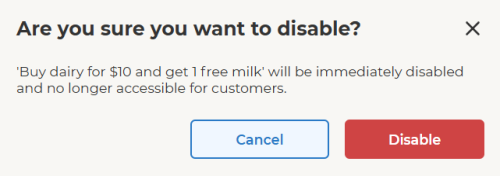
A pop-up appears to confirm the selection or cancel. If the activity is disabled, it will stop immediately and will disappear from the App for all users.
The disabled campaign moves to Draft status. The campaign will immediately disappear for the users, but any received reward coupon will still be visible and redeemable by the user.
To disable the allocated coupon, the Offer activity needs to be stopped.