Game Statistics
To view and download game statistics, click on the game and navigate to the Statistics tab where real-time data is displayed. The data is available for both standard and triggered games.
Only the Member ID is displayed as customer-related data. This approach maintains focus on winnings and ensures restricted access to sensitive customer information, preventing marketers from viewing private data they should not access.
If additional player details are needed, they can be retrieved from the Membership section or the CRM system.
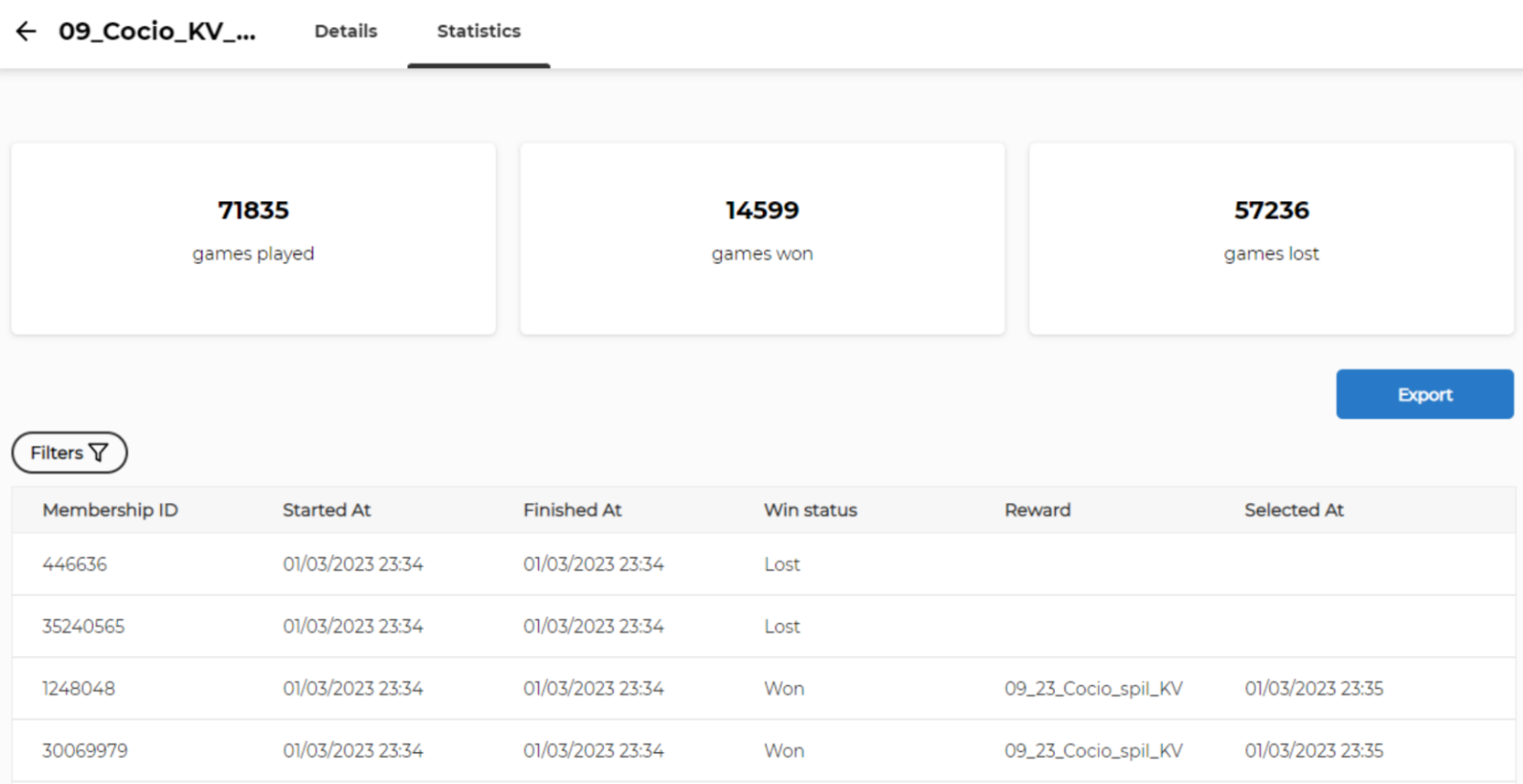
Statistics filters
Click the Filters icon to display and input the filter.
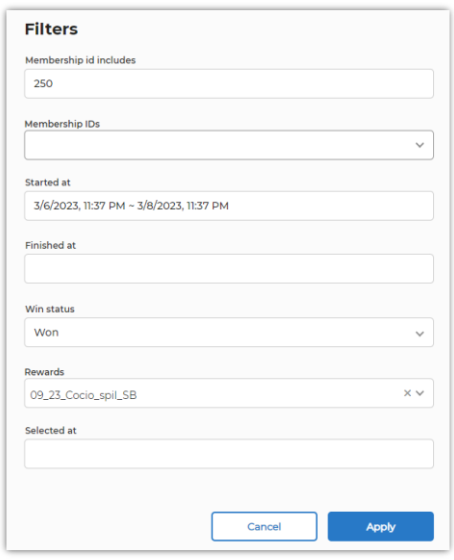
Fill in the filters and press Apply, and the list is updated with the selected filters.
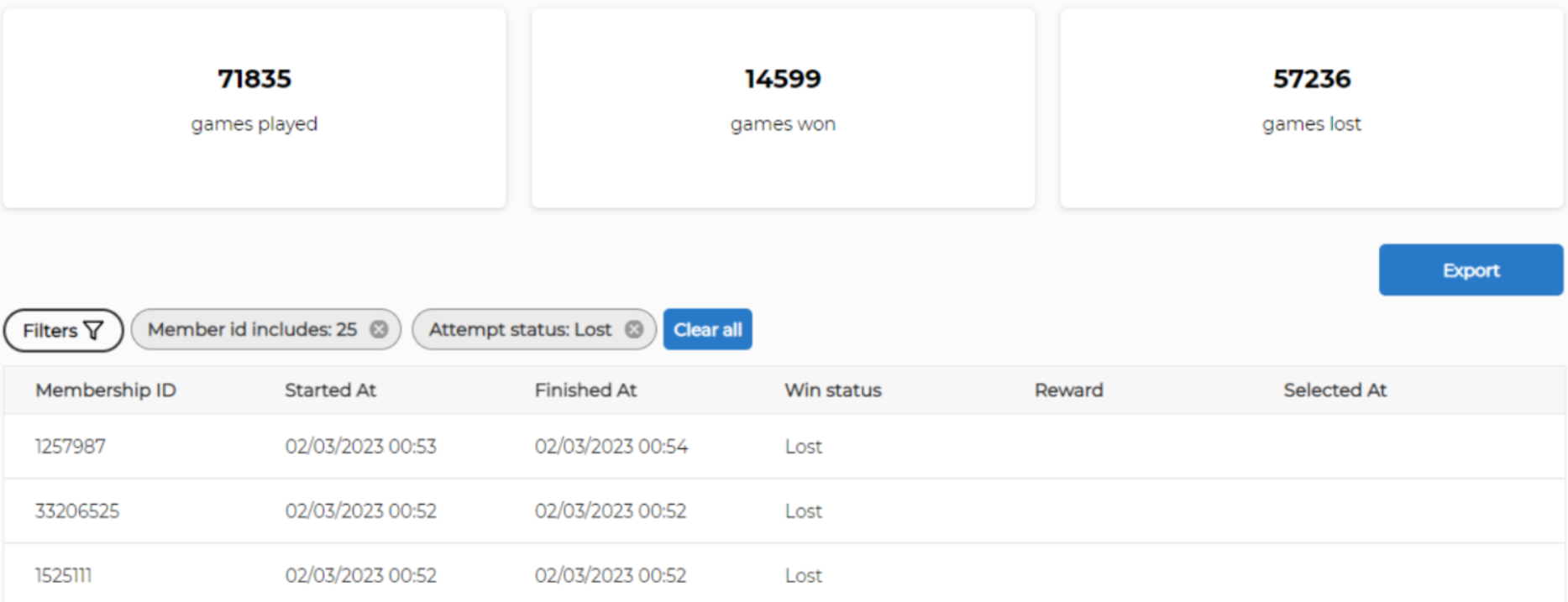
To refine the report, adjust the filters as needed or press Export to download the report in CSV file format.
Click the X next to a filter to clear it.
Press Clear All to clear all filters.