Bonus Import
The Bonus Import functionality allows administrators to import bonus adjustments—both positive and negative—by uploading a file containing the required data. This feature streamlines the process of updating member accounts with bonus adjustments in bulk.
How to Use
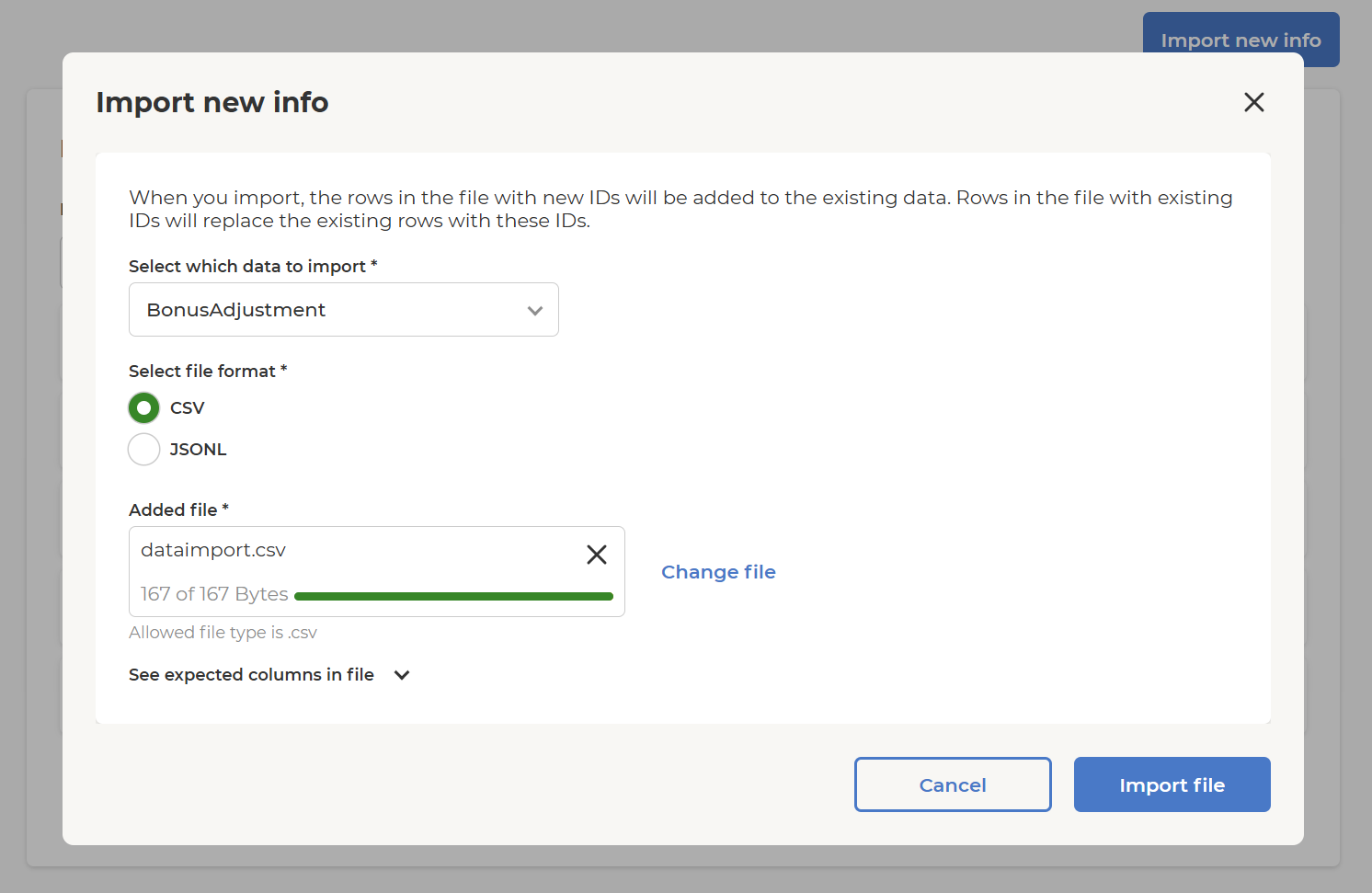
- Select Data to Import
- Choose
BonusAdjustmentfrom the dropdown menu.
- Choose
- Select File Format
- Supported formats:
- CSV (default)
- JSONL
- Supported formats:
- Add File
- Drag and drop your file into the upload area, or click select file to browse and upload.
- Only
.csvfiles are allowed when CSV is selected.
- Import
- Once a valid file is uploaded, the Import file button becomes active.
- Click Import file to process the import.
File Requirements
Expected Columns in File
| Column Name | Type | Description |
|---|---|---|
| MemberId* | string | Member identifier (required) |
| Amount* | decimal | Amount to be added into member's account (can be negative, is required and the value should be different than 0). If the amount has more than 2 digits after the decimal point, it will be rounded based on system configuration |
| StoreId | string | Primary store identifier (can be required depending on system configuration |
| ReceiptId | string | Receipt identifier |
| Description* | string | Description of adjustment (required) |
| FundedBy | string | Sponsor of the adjustment |
| TransactionType* | string | Type of transaction (e.g. Adjustment) The field is required, and the options available are predefined in system configuration) |
| ExpirationDate | datetime | Optional date and time when transaction expires. For example, 2026-01-07T22:59:59Z. Time has to be specified in UTC timezone. When time is not specified, UTC midnight is used |
Note: Columns marked with
*are required.
Example CSV Structure
MemberId,Amount,StoreId,ReceiptId,Description,FundedBy,TransactionType,ExpirationDate

12345,10.00,001,ABC123,Monthly bonus,Company,Reward,2026-01-07T22:59:59Z

67890,-5.00,002,XYZ789,Correction,Company,Adjustment,2026-01-08
Example CSV Structure with empty or null ReceiptId and empty FundedBy
MemberId,Amount,StoreId,ReceiptId,Description,FundedBy,TransactionType

12345,10.00,001,,Monthly bonus,,Reward

67890,-5.00,002,null,Correction,null,Adjustment
Additional Notes
- Ensure your file matches the expected column structure.
- Only
.csvfiles are accepted for CSV import. - Negative amounts are allowed for deductions.
Import Log Overview
Key Elements
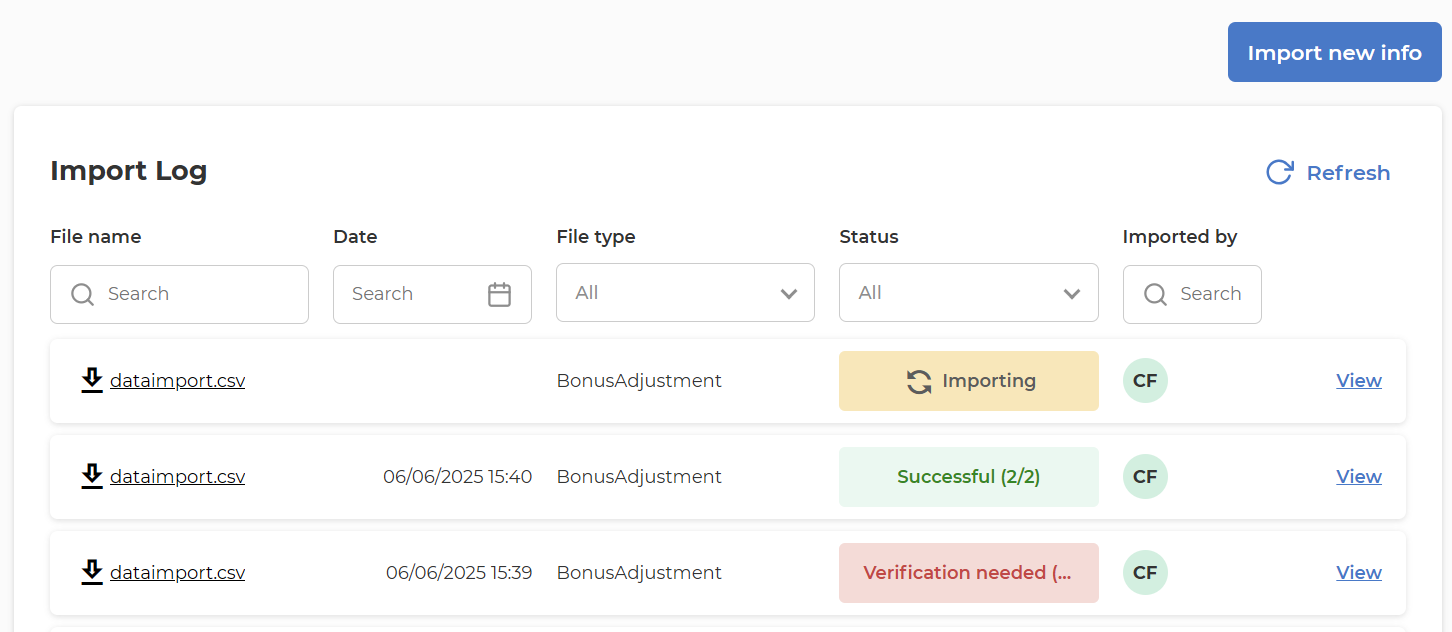
- File name: The name of the imported file (e.g.,
dataimport.csv). Each file name is clickable for download. - Date: The date and time when the import was performed.
- File type: The type of data imported (e.g.,
BonusAdjustment). - Status: The current status of the import process. Possible statuses include:
- Importing: The file is currently being processed.
- Successful: The import completed successfully, with a summary of processed records.
- Verification needed: The import encountered issues and requires user verification or correction.
- Imported by: The initials of the user who performed the import.
- View: A link to view more details about the specific import attempt.
Additional Features
- Search and Filter: Users can search and filter the log by file name, date, file type, status, and user.
- Refresh: The log can be refreshed to show the latest import activity.
- Import new info: A button to start a new import process.
Import Error Handling
-
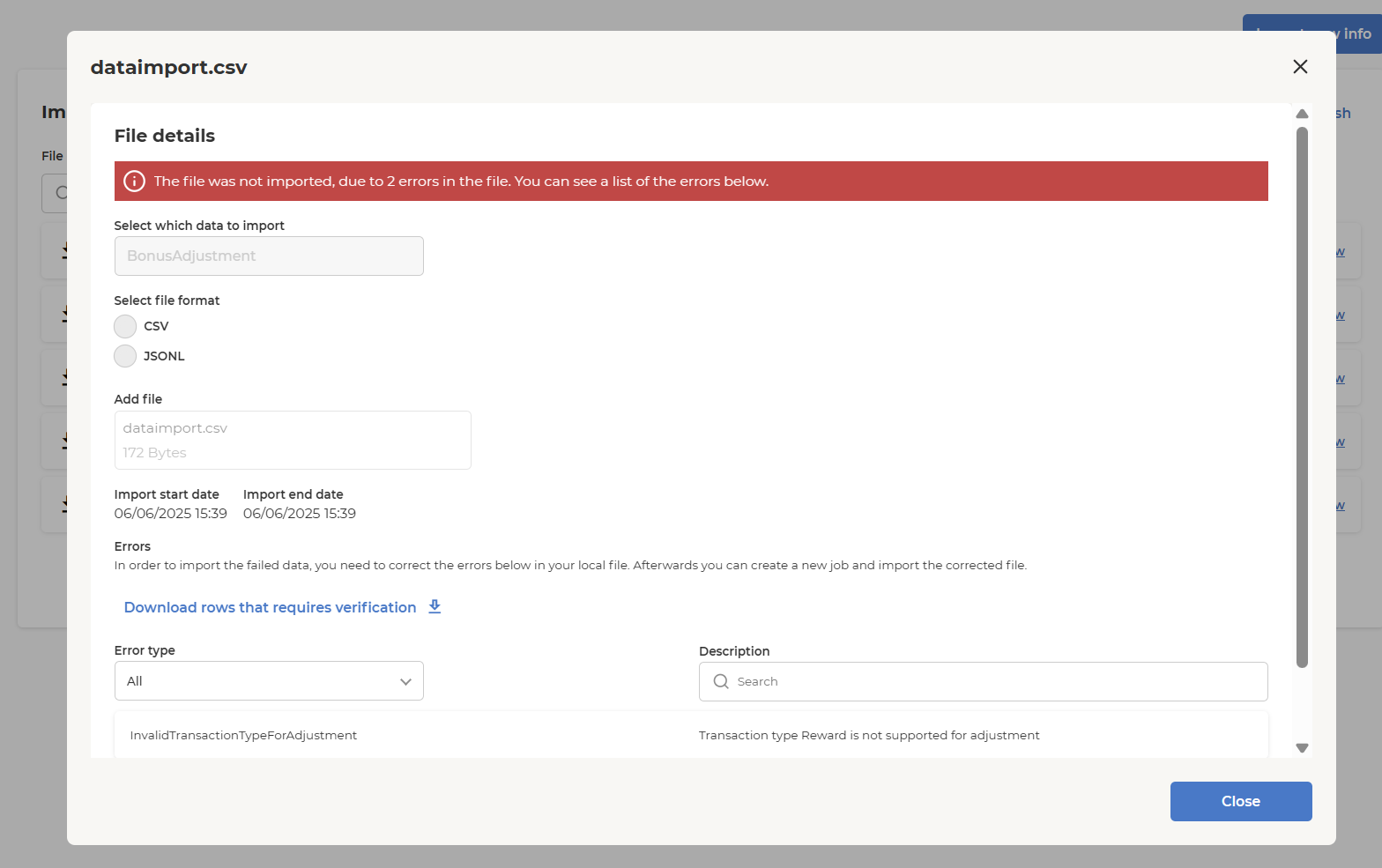
If an import fails, the system displays a detailed error summary for the file. You can see the specific errors that prevented the import, including the error type and a description for each problematic row.
-
The option to Download the rows that require verification allows the user to review and correct the errors in the local file. Once corrected, the user can re-upload the file and reprocess only the failed rows, making it easy to resolve issues and complete the import successfully.