Create triggered game
A triggered game runs in the background, it is created without any users, and the users are allocated dynamically by a triggered job or event, normally from a segmentation or orchestration system.
Triggered games are normally created as long-running activities that can be allocated to users based on their data or behavior. For example, a game could be allocated to users who have made specific purchases (buy this product for X amount in the last week). Another scenario is to allocate a game to a newly signed up user, or for a user's birthday.
You need to have the Lobyco Segmentation product running or to do an integration with your CRM or Orchestration system that is able to dynamically allocate users to Triggered Game Activities.
To start with, select the triggered activity type.

All the configuration steps are the same as the standard game, in regards to the activity details and the rewards settings.
There is no segmentation section since user allocation is done dynamically during the activity period.
Activity behavior
The game priority and Game URL are used in the same way as for standard games.
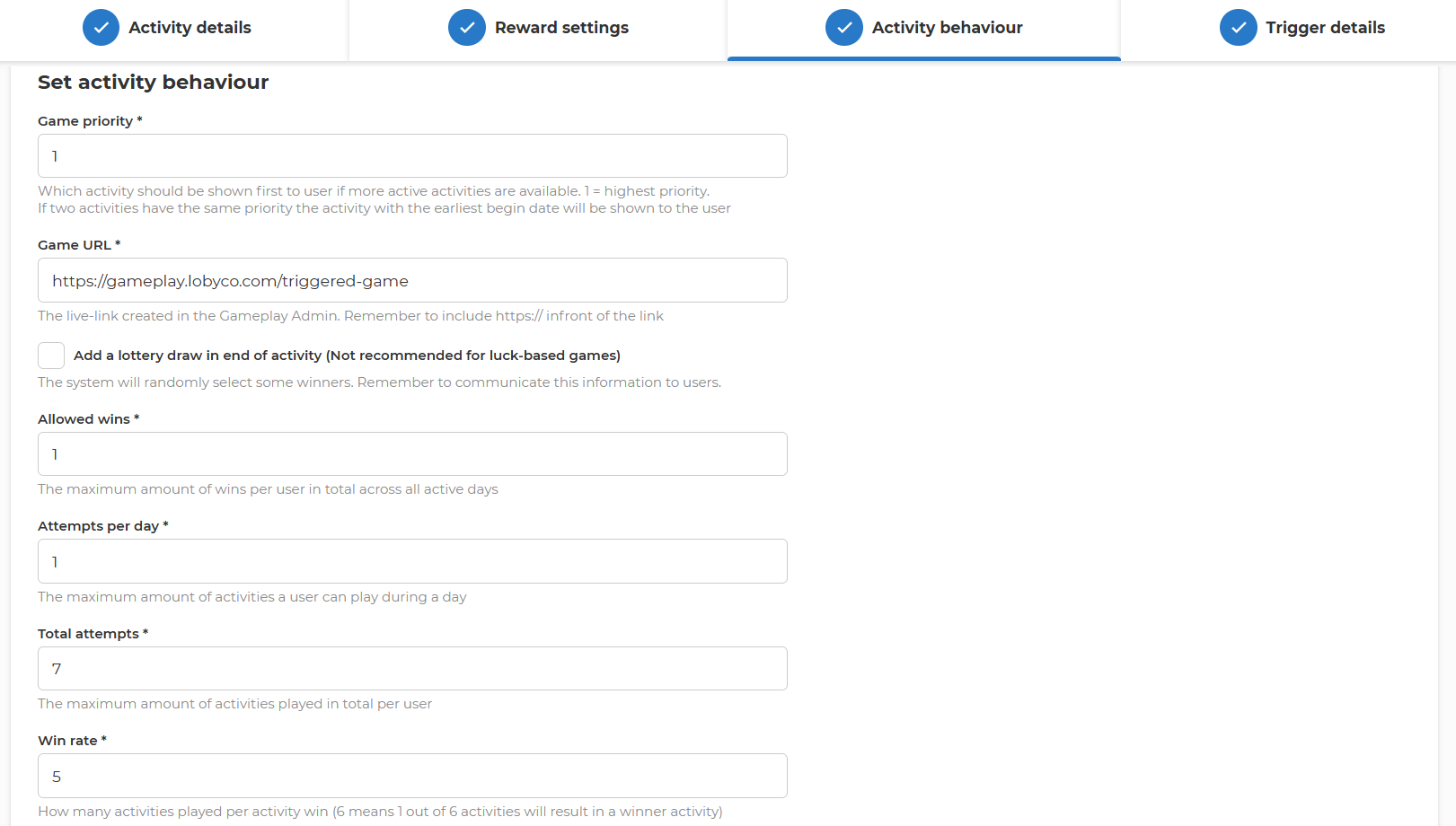
Winner chances & attempts
Conditions for the member's number of game attempts, win-chances, and allowed wins are set here.
- Allowed wins sets the number of rewards that one user can win, in all games. Once he has won, the user will no longer be shown the game even if he is being allocated multiple games. It makes sense to set this to higher values if you plan that users can get the game multiple times (e.g., he buys the desired amount of products multiple times so he is being allocated dynamically the game multiple times).
- Attempts per day sets a daily limit on the number of games a customer can play throughout the activity period. Normally set to 1, especially for Luck games. Does not make sense to allow the same game to be played multiple times per day.
- Total attempts sets a limit on the total number of games a customer can play throughout the activity.
⚠️Important: If the user can get the game multiple times, then you need to allow here a number higher than 1. For example, if you run a buy & win promotion (buy for 10 EUR and get a game with chances to win), the game runs for 7 days, and the user can get the game each day if he spends daily 10$, then you need Total attempts of 7. - Win Rate determines the ratio between winners and losers, same as for standard games. Win Rate is dynamic, and you can adjust it throughout the activity (remember to update/save changes, and they will apply instantly). The win rate defines the success rate for winning games.
- Win rate 1 means that all game attempts are winners until rewards are depleted.
- If every second game should "win", the value is set to 2 (from 2 attempts; 1 lose, 1 win).
- If every 10th game should "win”, the value is set to 10 (from 10 attempts, 9 lose, 1 win).
Trigger details
This controls the allocation limits during the entire activity period. Specifically, how often to allow a user to get a game attempt if the connected job or segmentation tool allocates the game multiple times.
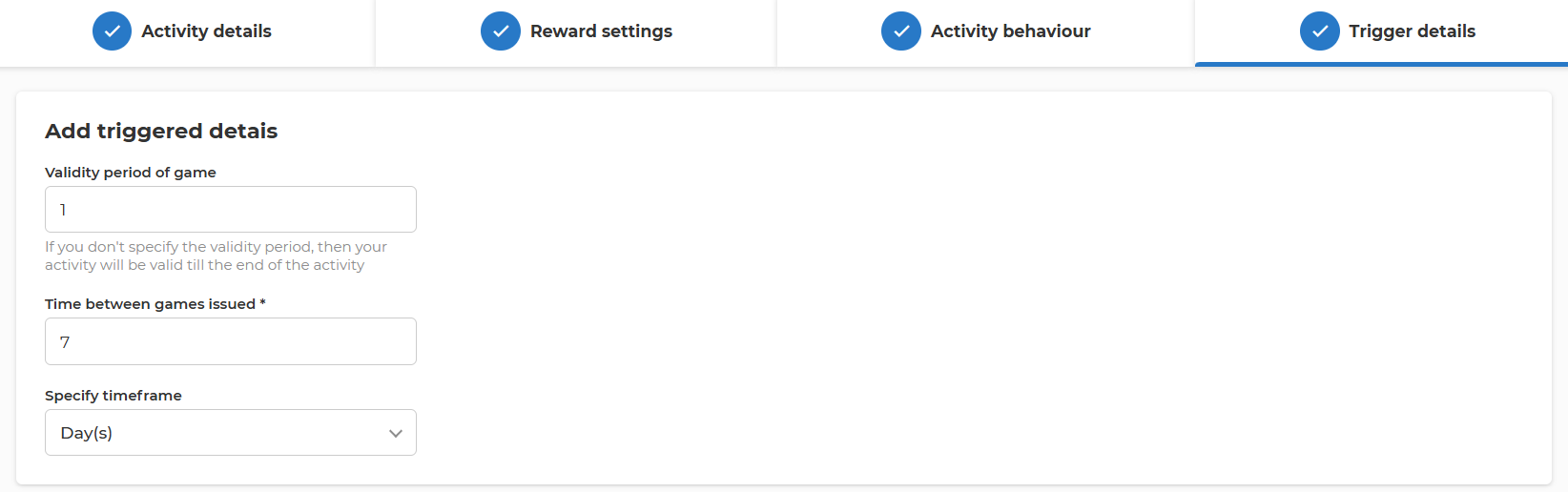
- Validity period defines how long will the game attempt be valid in the App until it is either played or expires. If this is more than 1, the user will still be able to play only once a game attempt.
- Time between games issued is used to limit how often a user can receive the game. For example, if there is a job that runs every night to check for high spenders in the last 30 days, a user will be selected every day. To limit to only one allocation per month, the selection should be made of 1 month(s) or 30 days.