Exclude
When you use the Exclude block you get results from one segment where ID's are not in the other segment. So it represents a logical NOT operator between the groups.
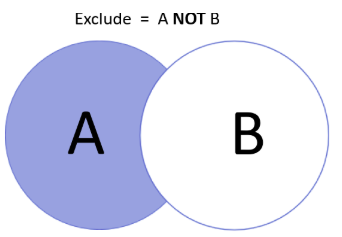
Looking the example drawing below shows that only those items from A are matching that are not in the B.
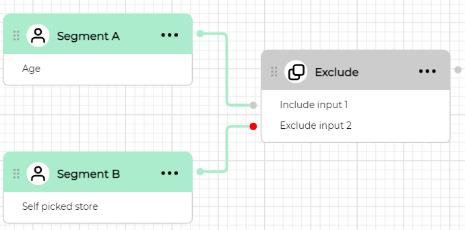
The exclude block has two connecting ports: include port (grey color dot) to connect source segment and exclude port (red color dot) to connect segment values of which should be excluded.
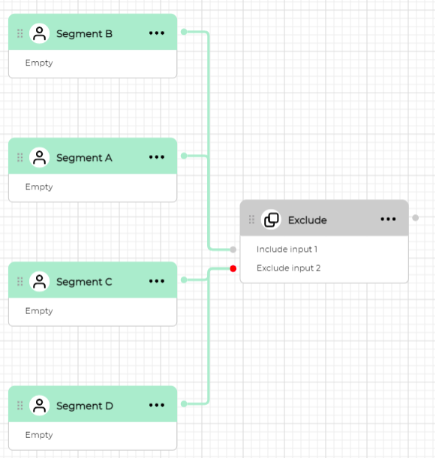
You can also connect multiple segments to each port like on image below. In this case you will exclude results of one group of connected segments from another.
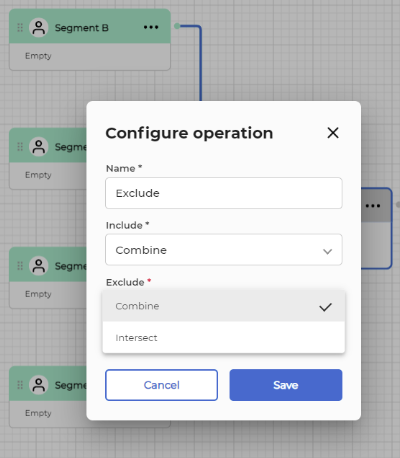
To configure the exclude block double click it. If there're several blocks connected to each input port of the exclude block, you can choose how the results from them should be used.
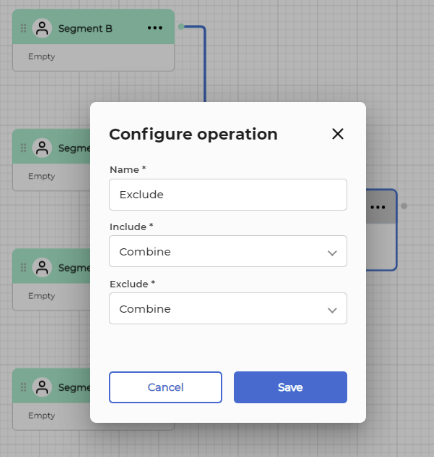
Example below shows that there're two options available to choose from for include port:
- Combine: Combines all segmentation results of all blocks connected to include port. If we take the example shown on the image then choosing combine option means that the data from SegmentA will be combined with data from segmentB
- Intersect: Intersects all segmentation results of all blocks connected to include port so that only those results will be taken that are present in all blocks connected to include port. If we take the example shown one the image then choosing intersect option meanss that only data that is present in both SegmentA and SegmentB segments will be used.
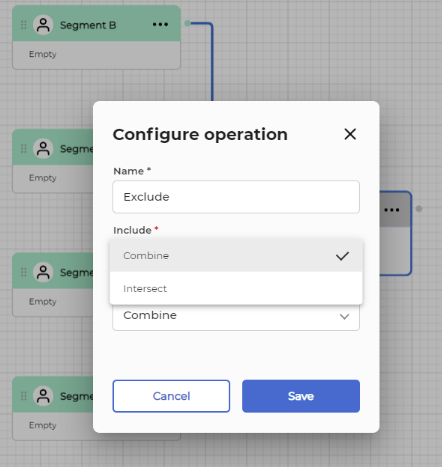
Same applies to exclude port. Here in case of multiple blocks connected you can also choose either Combine or Intersect.