Trigger push by event
To send a push notification in real time when a customer performs an event (e.g. on challenge completed event), set up an Orchestration Campaign that listens for the event and immediately triggers a push notification for the member.
⚠️ Note: Event-triggered push is real time. Unlike segment-triggered push, it is not possible to enrich the data with additional member attributes for personalization. Only the data carried by the event itself is available in the push message.
⚠️ Note: If the member has the application open when the event occurs, the push notification will not be delivered. (e.g Game won/lost, Sign up events which have a high change to be triggered while the member has the application still open). If an event is triggered while the member has the application open, use in-app communications like (banner, feed, prompt) to communicate real time information to the member.
To trigger real time notifications triggered by events follow these steps:
1. Create an Orchestration Campaign
Create a new Orchestration Campaign as usual.
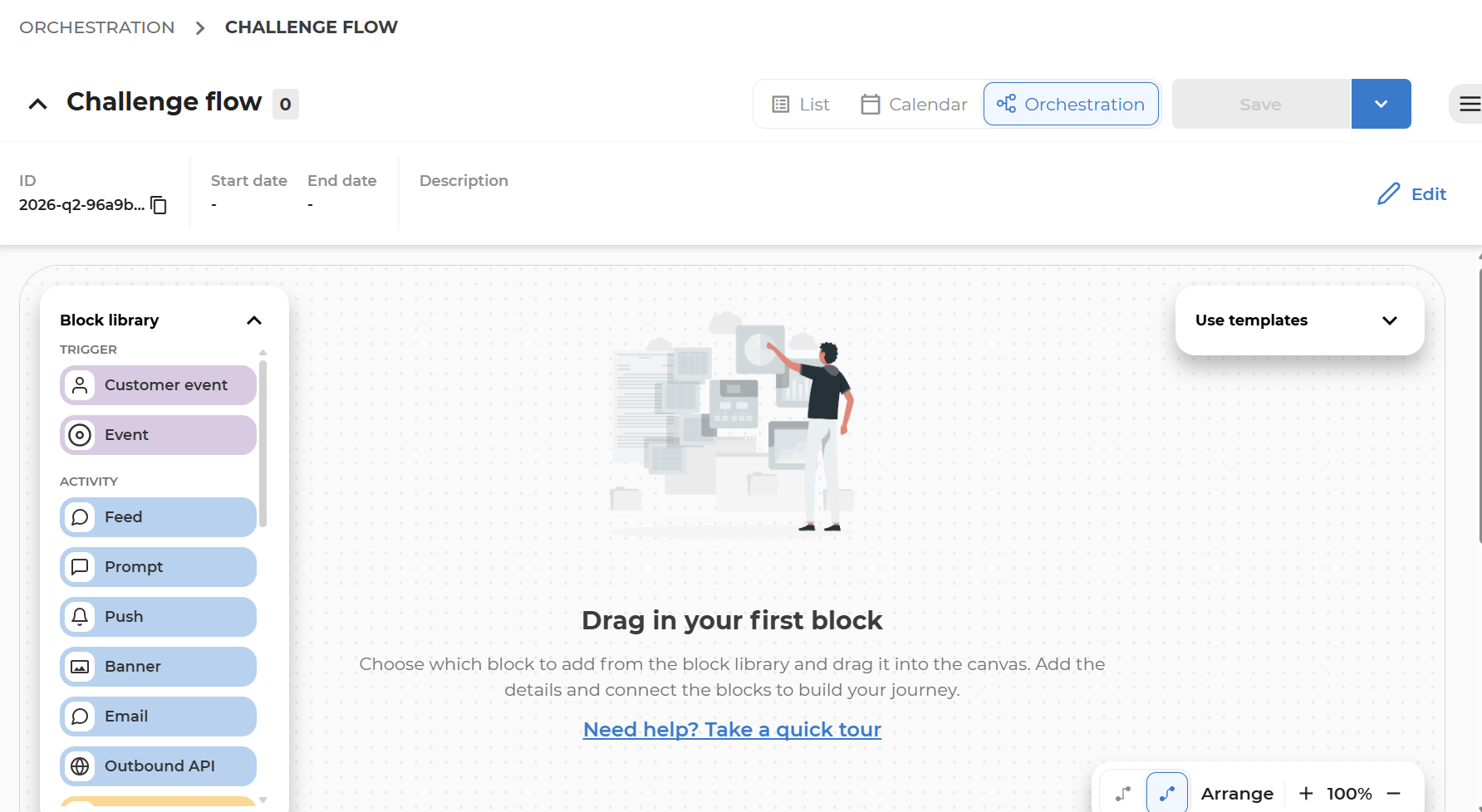
2. Event trigger: Configure the event that will trigger the push
-
Drag the starting blocks on canvas (Member segment or Event block)
-
Drag activity blocks and event blocks for events generated by the activity (e.g. Challenge Completed event)
-
Connect the blocks
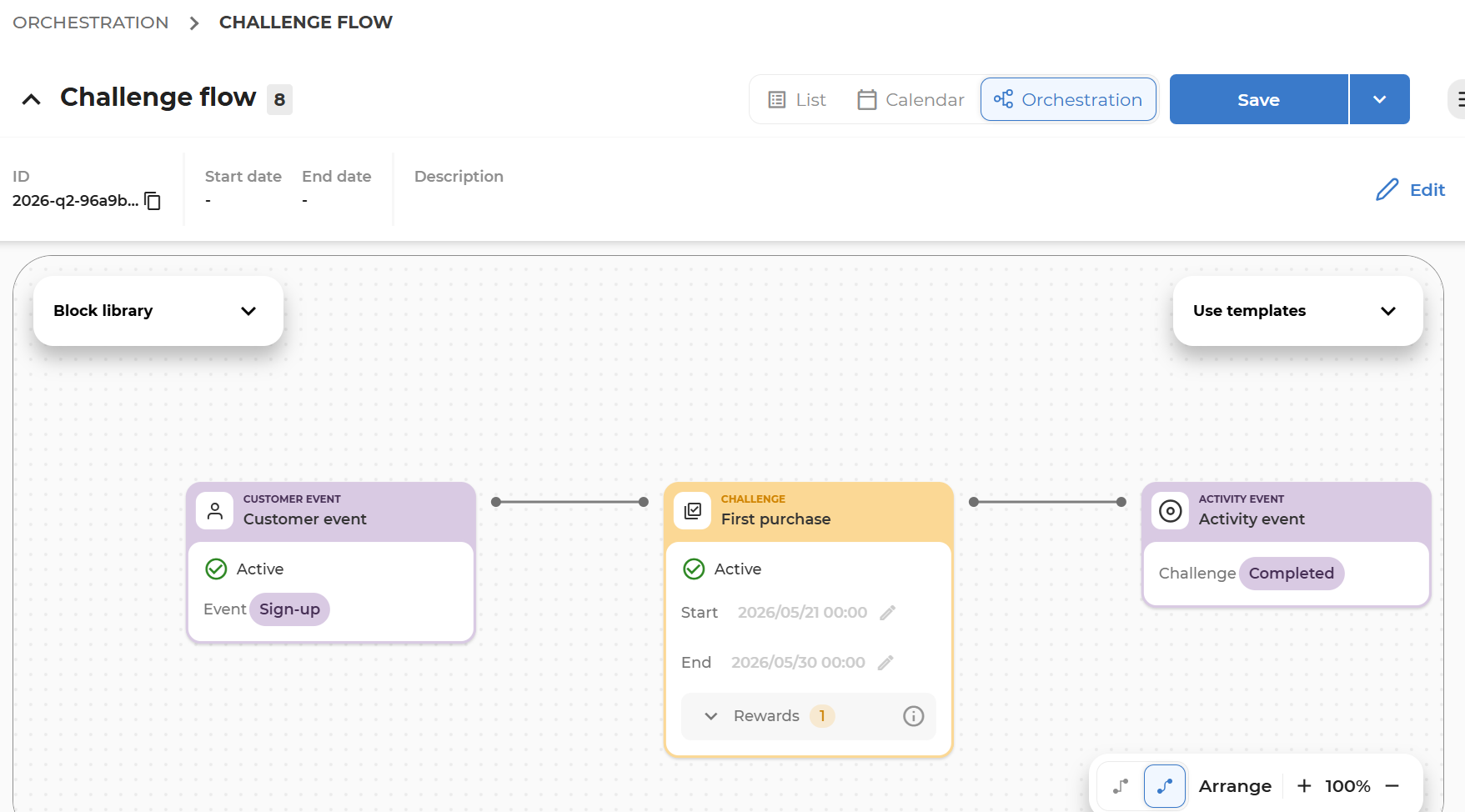
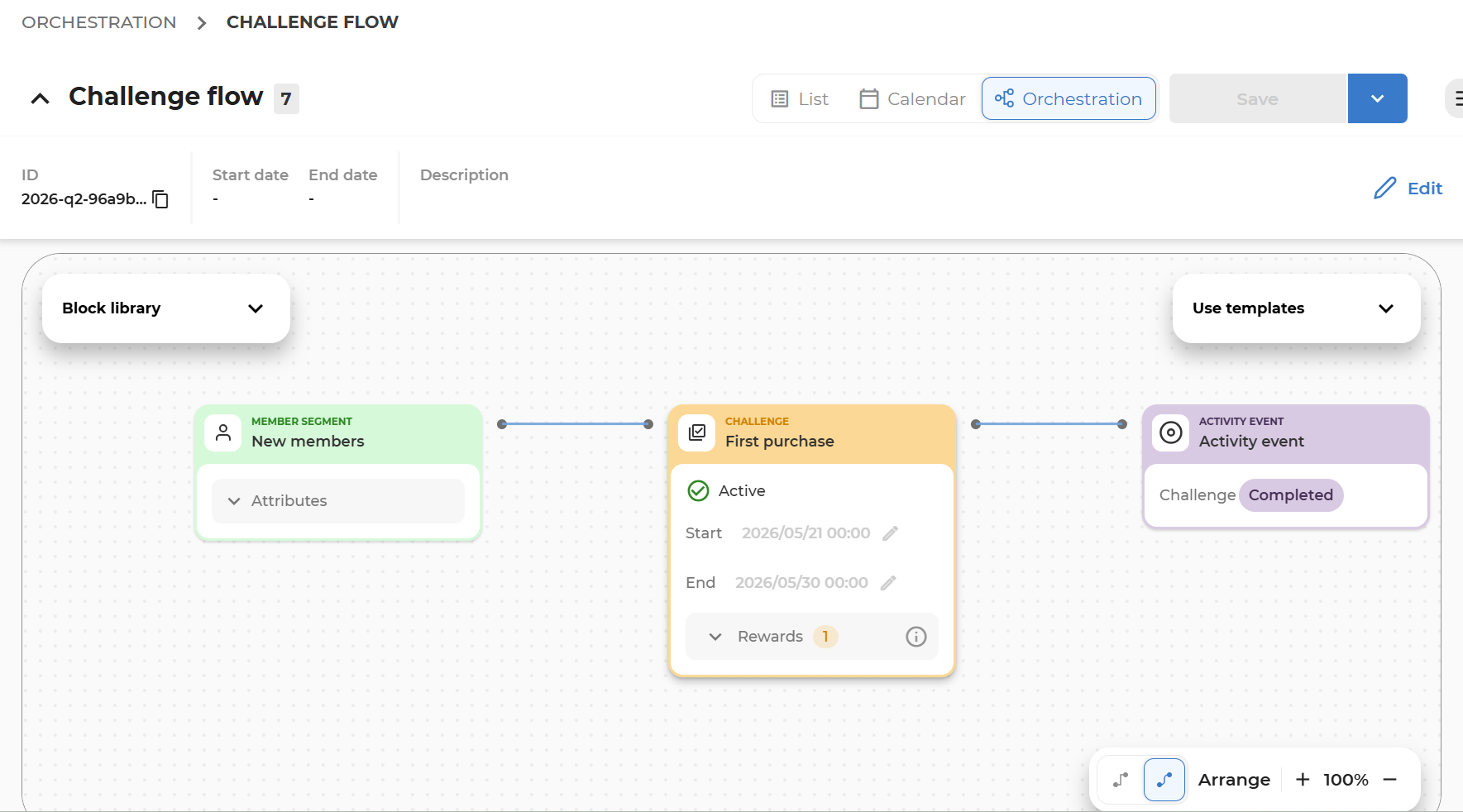
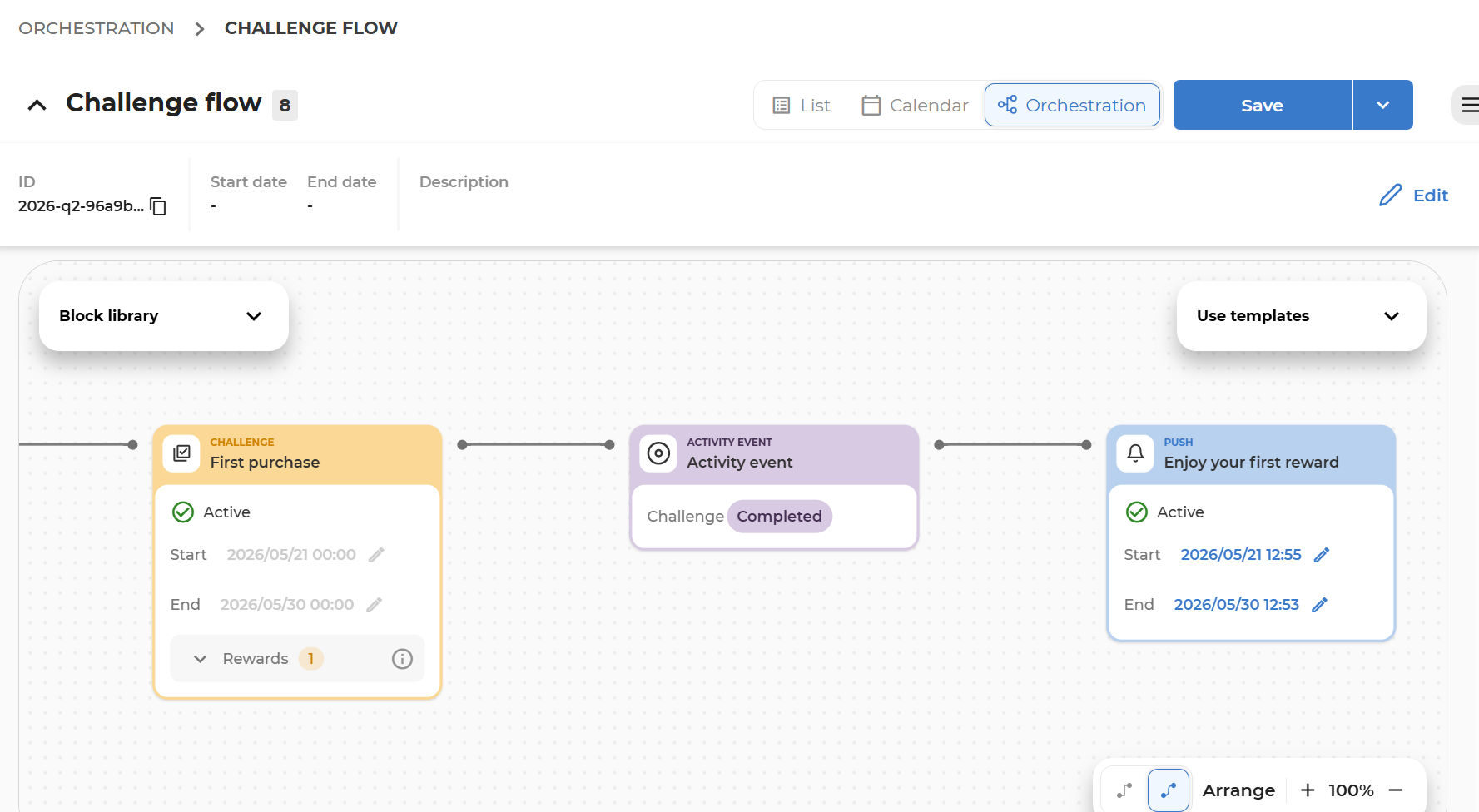
3. Create communication activity: Connect a push activity and design its content
-
Drag the Push block on the canvas and connect it directly to the Event block.
-
Enter the block, design the Push activity, and save it.
-
Pay special attention to the following details, which differ from 'normal' non-triggered Push communications:
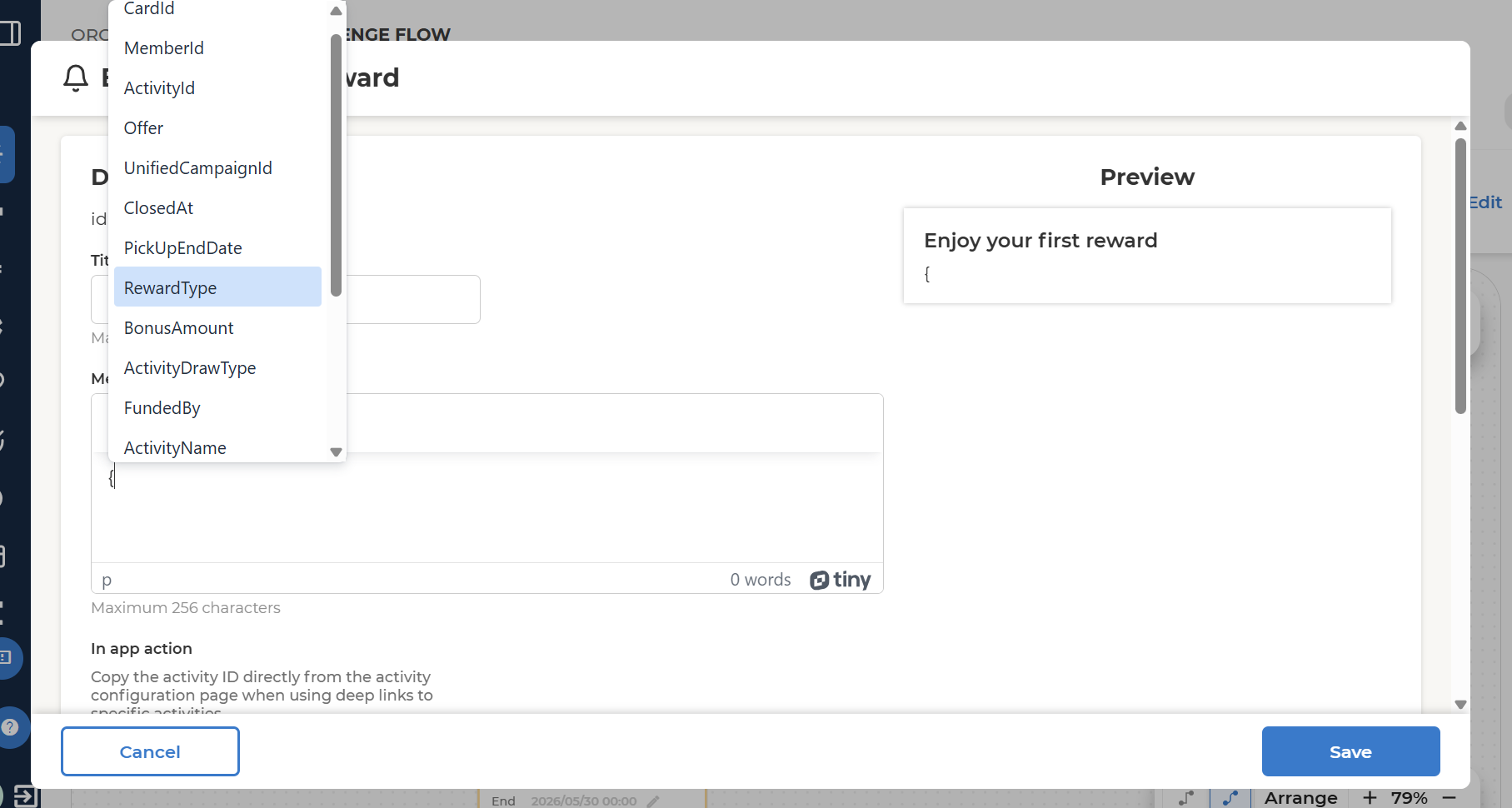
- Making content personalized with event attributes: Start typing
{in the push message to get a list of the attributes available from the event payload. Only event-carried attributes are available here.
- Schedule: When a Push is in scheduled state at execution time it will be skipped. The push notification will be sent at execution time if the push activity is active.
- Scheduled push activity is skipped at execution time.
- Active push activity is executed.
- Making content personalized with event attributes: Start typing