Quiz
Using fun and challenging questions, you can test your customers’ knowledge about specific subjects, including your products or your company.
Question types
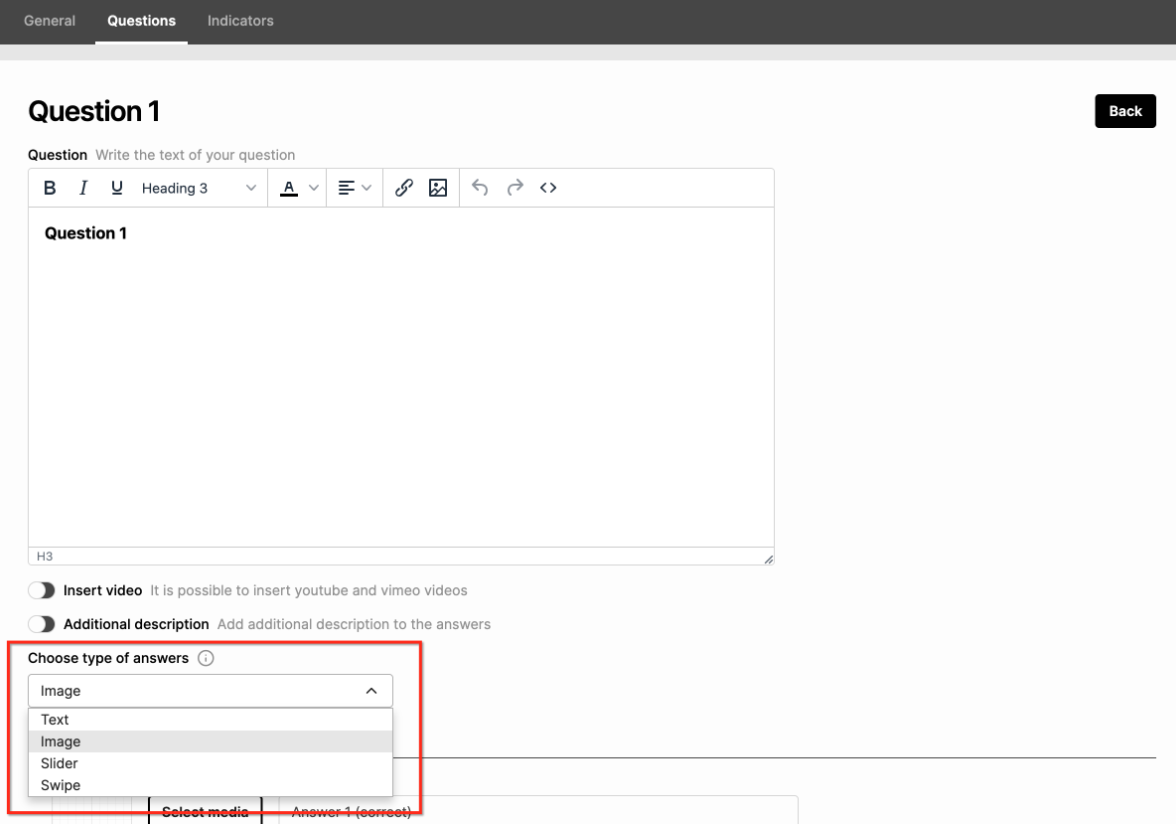
You have the possibility of creating text, image, slider, or swipe as the type of answers. You can choose which type of answer you want under each specific question:
Questions progress
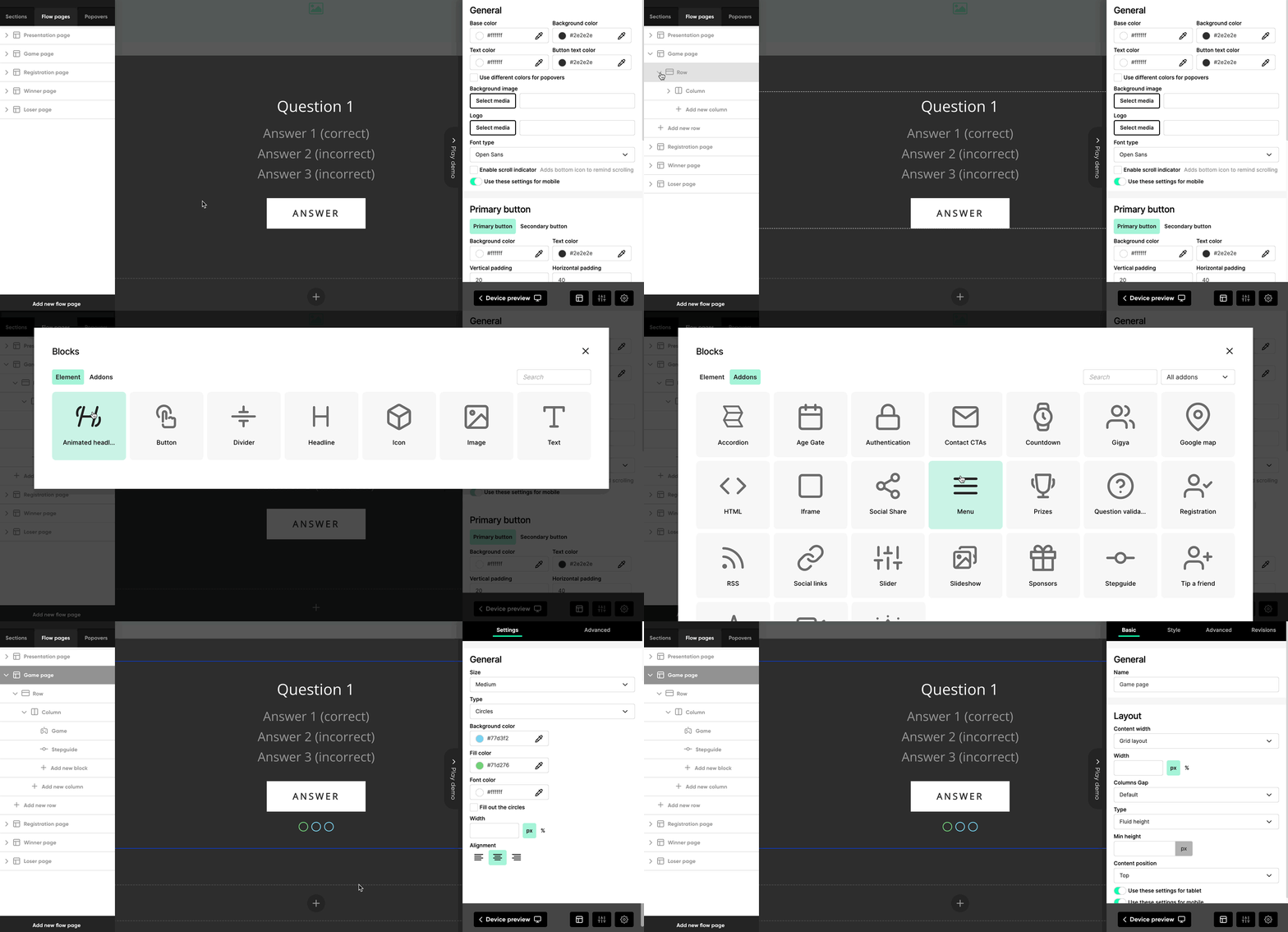
To show the progress of answering the quiz, you can insert an add-on called “Stepguide” under the Game component on the Game page. This component can also be edited if it's clicked on and the settings appear on the Left Game Menu.
Question illustration
- Number: 1 per question
- Recommended size: 400 x 200 (will scale to fit the screen width on mobile)
- Note: Limit the height of the image by using a wide aspect ratio. This will help make sure all the content fits on the screen without scrolling.
Answer option: image
- Number: 2–12 per question
- Recommended size: 300 x 300 (will scale to fit the screen width on mobile)
- Maximum size: 500 x 500
- Note: The images must all have the same dimensions as each other.
Answer option: swipe
- Number: 1 per question
- Recommended size: 320 x 435 if including a photo; 250 x 150 if only using text
- Make sure it is clear to the participant what it means to swipe the image to the left or right. In a quiz, there should be a “correct” direction and an “incorrect” direction.