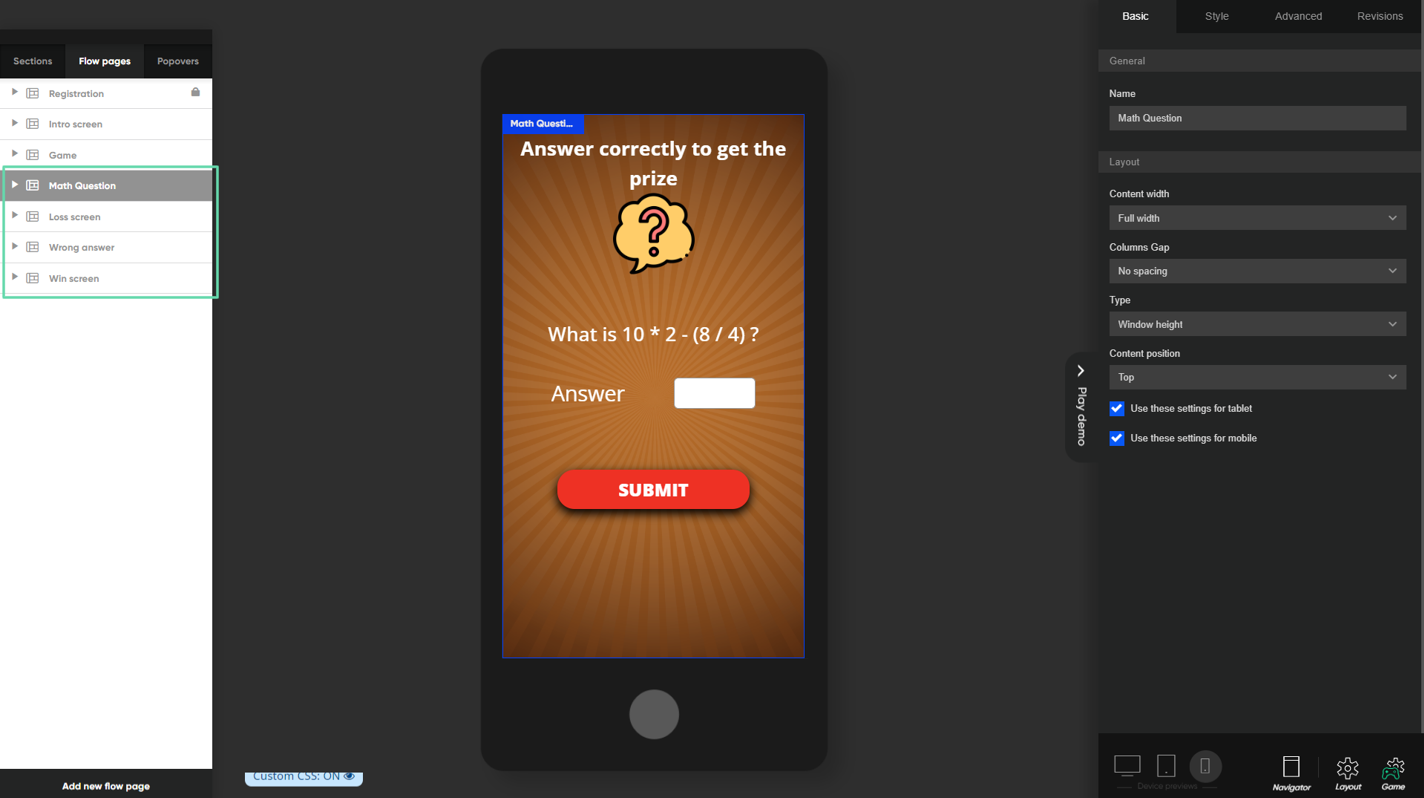
Game pages for math questions (where applicable)
In certain markets, it may be necessary to verify the winner through a mathematical question to award the prize. In such cases, an alternative game flow will be provided by Lobyco, consisting of the following pages.
- Math Question Page - displayed to the winner of the luck game participant
- Loss Screen Page - shown to the loser of the lucky game
- Wrong Answer Page - presented to users who answered incorrectly
- Win Screen - displayed to users who answered the question correctly
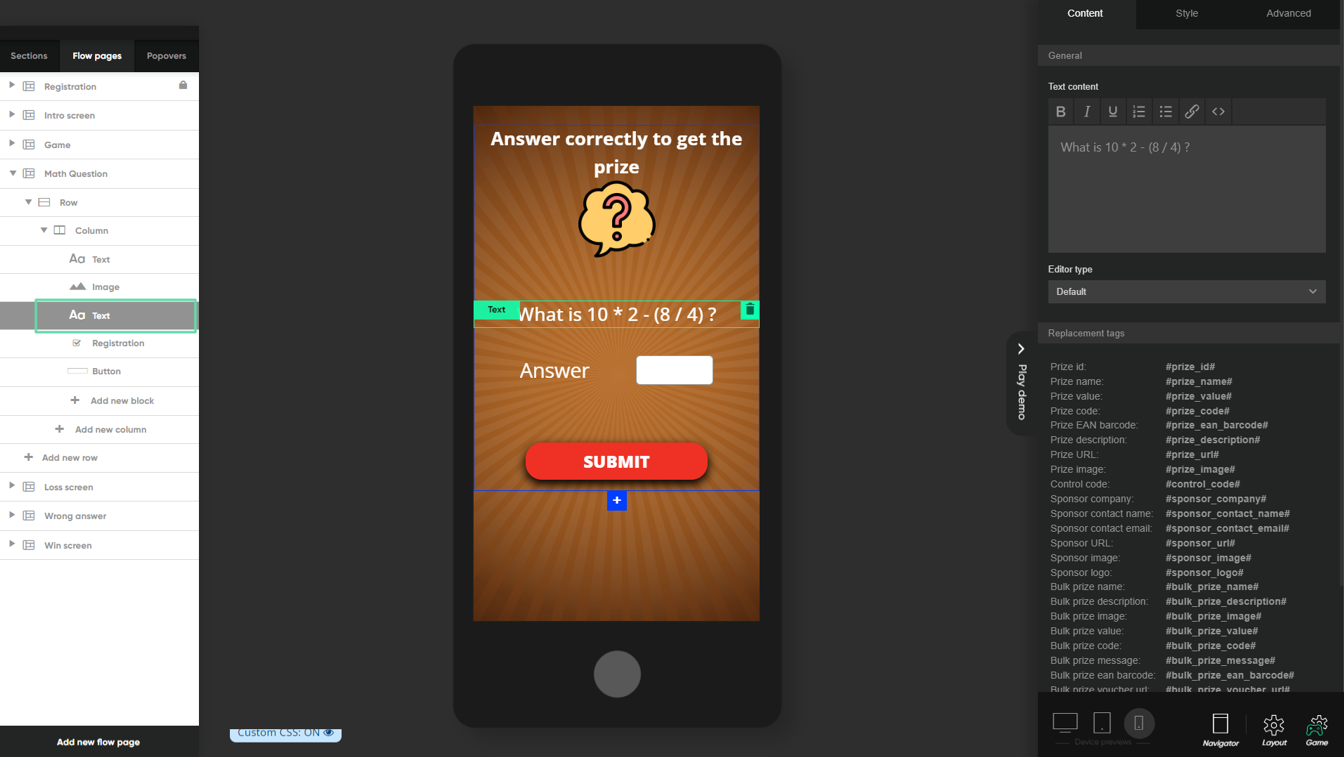
Configure math question and answer
To configure the math question, simply add or edit a text block and enter the actual question in the Content field.
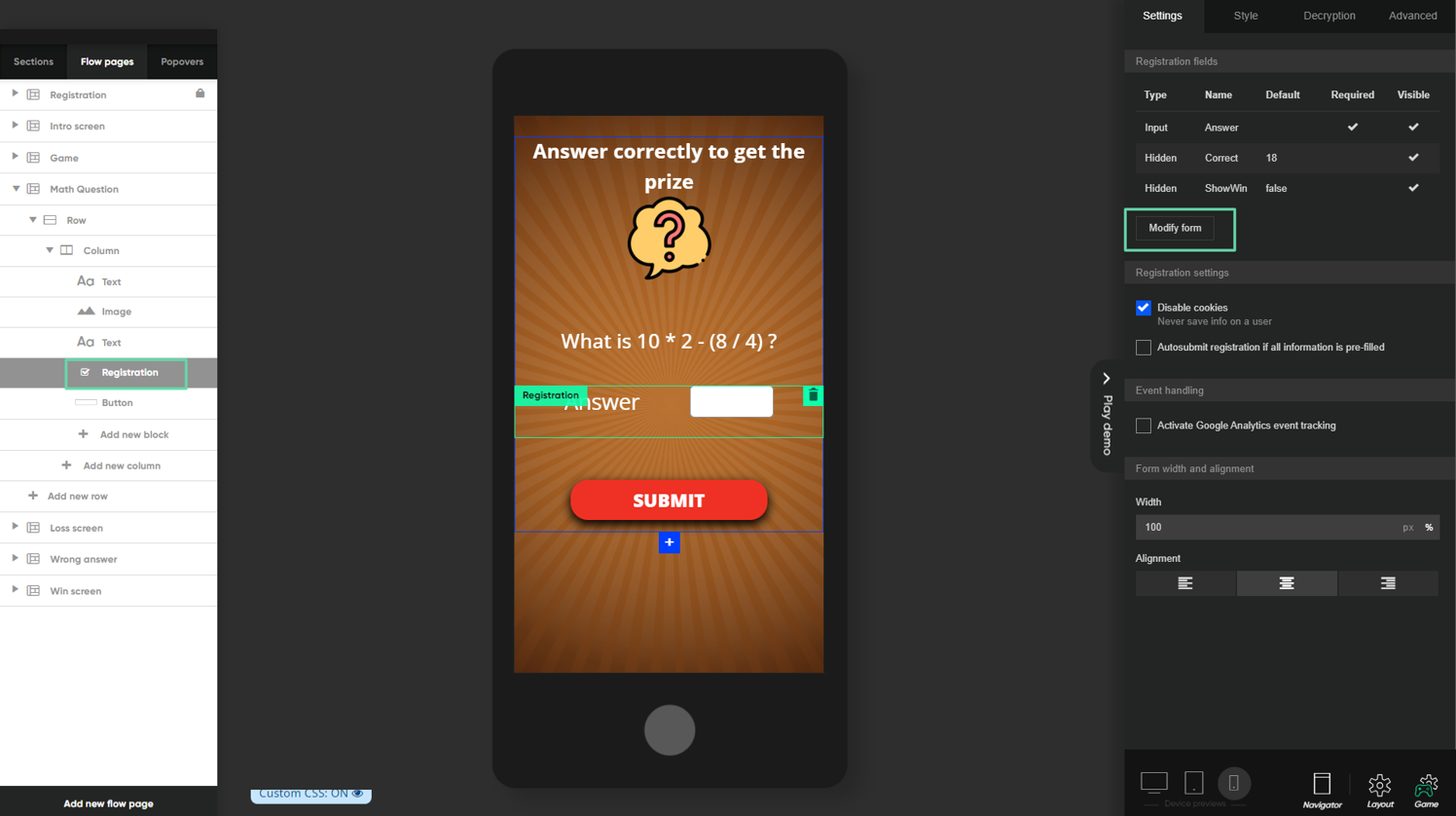
To set the correct expected answer, you must add or modify a Registration block component. Clicking on Modify form will allow you to adjust the form details.
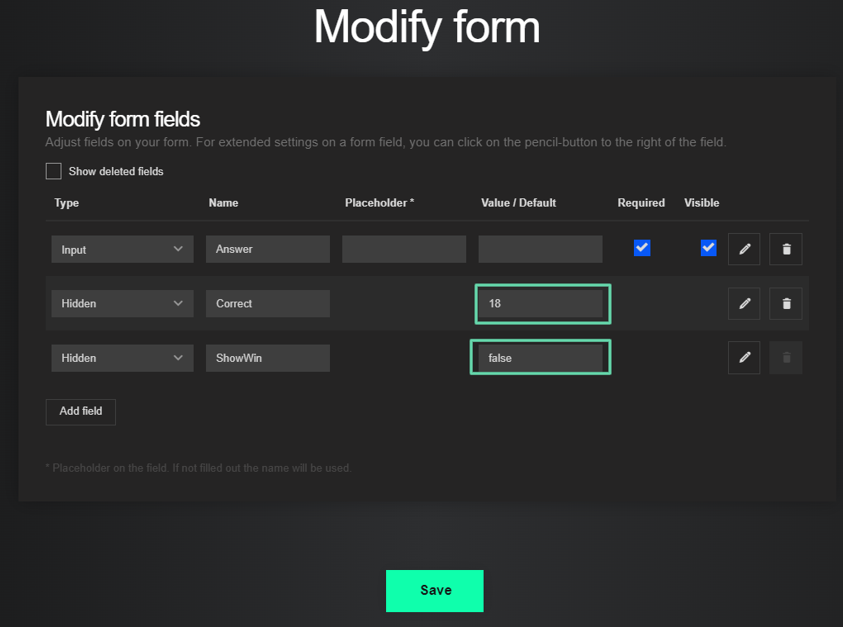
This opens the From configuration where the following fields need to be set up.
- Answer (Input type) – this field will capture the user's answer to the question.
- Correct (Hidden type) – configure the correct expected answer to the question.
- ShowWin (Hidden type) – this is a flag used in the process; it should normally have a false value and is typically set up this way by default without any changes.