Create Partner Benefit Banner Feeds
ℹ️ Note: This page documents only the fields and behaviors that are distinct from the Partner Benefit feed type. Check more details for common attributes on Create Partner Benefit Feeds
1. Feed type: Partner Benefit Banner
2. Feed card
- Display priority
- Optional with client specific default value (e.g. 3)
- Feed are ranked based on: priority and publish date. It means that feeds with the highest priority and most recent publish date are shown first in the row of feeds. The priority is applied within the same Feed type.
-
Image URL
- Required
- Allowed file formats are: .png, .jpeg, .jpg. Maximum size: less than 2 MB.
- Add an Image URL or upload an Image to be displayed in the Feed card
-
Action type
- Feed card details: For more details check Feed card details section from Create Partner Benefit Feeds
- No Navigation: No action will take place when clicking on the Banner (Feed card) and no Feed Card Details will be opened
-
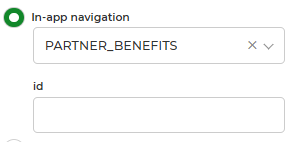
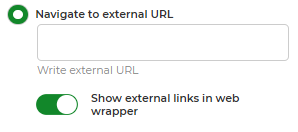
Navigation: Select In-app navigation or Navigation to external URL
-
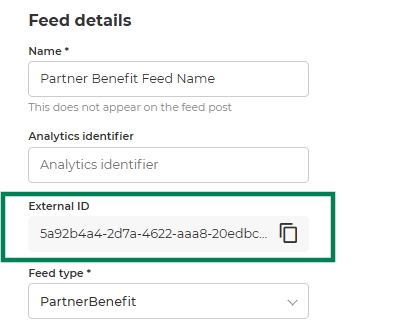
Select In-app navigation for redirect users to an existing Partner Benefit Feed card Details, by using the external id of the previously created feed.
-
Select Navigation to external URL to redirect users to a specified url.
-