Fonts and Custom Fonts
In the gameplay editor, you have access to all Google fonts.
Custom Fonts
If you need additional custom fonts, you can contact us to make them available in the Game Editor.
You need to provide us with the font files in TTF, WOFF, WOFF2, or SVG format. If you don't have your font file in the correct format, you can use Transfonter to convert it: https://transfonter.org/
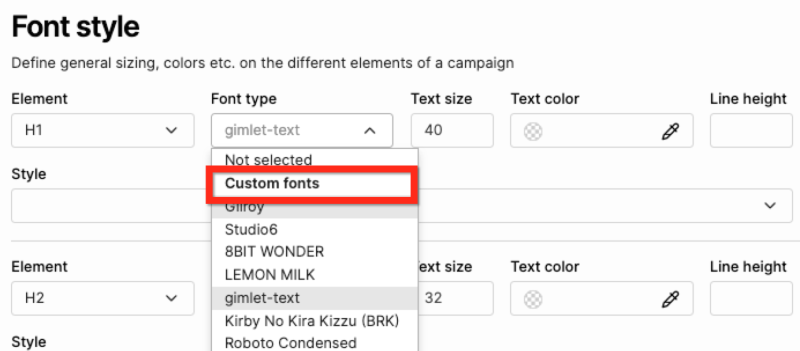
Once the custom font is added, you can select it from the font-type drop-down when building your gameplays or adjusting your layout settings.
If you have different styles of the same font (normal, bold, italic), only one font will be visible in the Font selection and styles will be used when you actually select bold, italic, etc., in the editor.